


Zsh or Z shell is a command line interpreter for Unix-like systems. It is an alternative to bash shell and offers improved features.
Following are some of the features of Zsh.
- Better auto-completion
- Improved history
- Customizable interface
- Enhanced globbing
In this step-by-step guide, we are focusing on installing Zsh on Ubuntu 22.04 System.
Update the system repository
Let’s start with updating the system repository. Run the below command.
sudo apt update
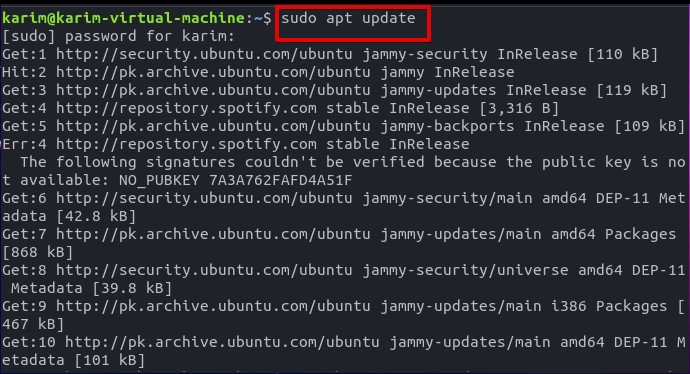
This may take some time. When you are done, move ahead to installation.

Install Zsh on Ubuntu 22.04
Run the below command to install Zsh on Ubuntu 22.04.
sudo apt install zsh
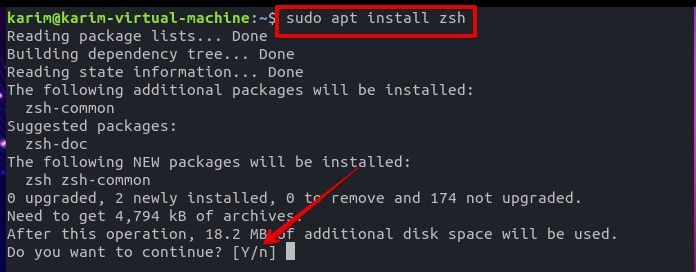
When you are prompted, hit ‘y’ and press the [Enter] key from the keyboard.
Wait for the installation to finish.


Verify the installation
Let’s verify the installation with the help of the below command.
zsh --version


Uninstall or remove Zsh on Ubuntu 22.04
You can remove the Zsh by issuing the below command.
sudo apt remove zsh
Type in ‘y’ and hit the [Enter] key from the keyboard. Wait for the uninstallation to finish.


Execute the following command to verify the uninstallation.
zsh --version


Conclusion
Thank you for exploring my article. If you have any suggestions or comments please let me know. Keep visiting Linux Genie for more articles.

