



Brave is a free and open-source web browser to surf the internet. It was developed by Brave Software Inc. and it was officially launched in January 2016. It is a safe browser and keeps its users from unwanted ads, trackers, phishing, and malware. It uses less RAM as compared to Google Chrome.
Brave browser is not available in the official Ubuntu repository. Therefore, you need to add it to the repository before installation.
In this article, we are going to show you the method of installing brave browser in Ubuntu 22.04.
Install Brave Browser Using Terminal
Step 1: Update and upgrade the system repository
Get a start and update/upgrade the repository with the help of the following commands.
sudo apt update && sudo apt upgrade
Step 2: Install the required package
Run the following command on the terminal to install the required package.
sudo apt install apt-transport-https curl


Step 3. Import GPG key
Run the following command to import the GPG key for Ubuntu.
sudo curl -fsSLo /usr/share/keyrings/brave-browser-archive-keyring.gpg https://brave-browser-apt-release.s3.brave.com/brave-browser-archive-keyring.gpg


Step 4: Add Brave Browser Repository
As we have earlier said that the brave browser is not available on the Ubuntu software repository. Therefore, we need to add it by executing the below command.
echo "deb [signed-by=/usr/share/keyrings/brave-browser-archive-keyring.gpg arch=amd64] https://brave-browser-apt-release.s3.brave.com/ stable main"|sudo tee /etc/apt/sources.list.d/brave-browser-release.list


Step 5: Update System Repository
After adding the Brave browser to the Ubuntu system repository, It is required to update it. Do so with the help of the below command.
sudo apt update


Step 6: Install Brave Browser
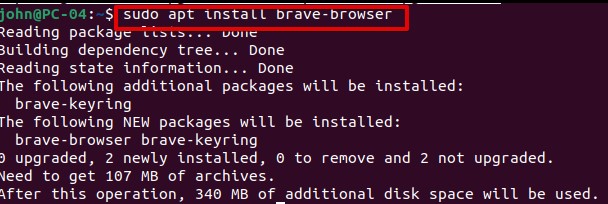
Finally, It is now time to install the brave browser.
sudo apt install brave-browser

Step 7: Verify Brave Browser Installation
You can verify the installation by running the command.
brave-browser --version


Launch Brave Browser
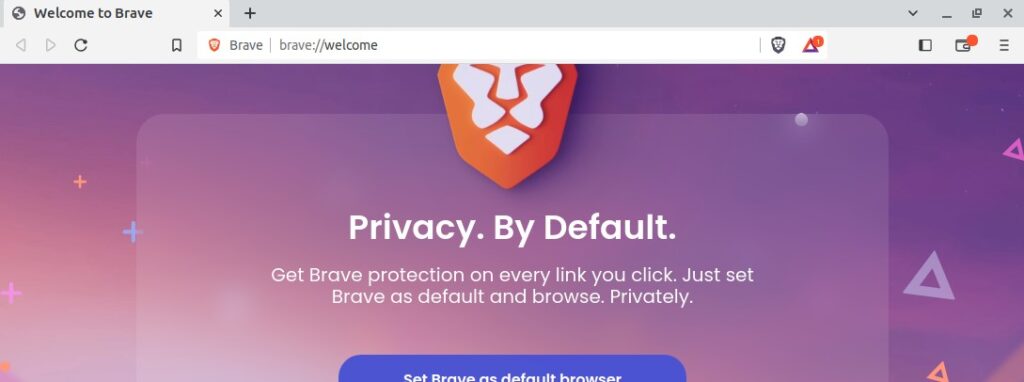
At this point, you are done with Brave browser installation. You can now launch it by running the command on the terminal.
brave-browser



Remove Brave Browser from Ubuntu 22.04
If you need to remove or uninstall the Brave browser, run the command and type ‘y’ from the keyboard when you are prompted.
sudo apt remove brave-browser
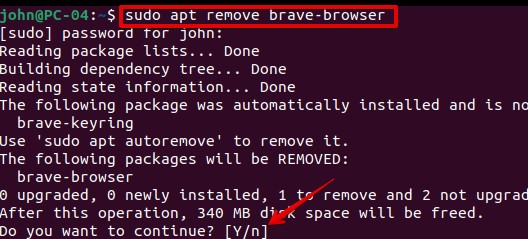

When you execute the command ‘brave-browser’ you notice that there is no file or directory with the name of brave-browser.


Troubleshooting Errors
While importing the GPG key, you may get the following error.
Curl: (6) Could not resolve host: brave-browser-apt-release.s3.brave.com


If this happens, add the following line in /etc/resolve.conf
nameserver 8.8.8.8


Conclusion
Thank you for reading this article. If you encounter any error, please use the comment section at the end of this article. We will try to solve it.
Keep visiting Linux Genie.

